Monday 07:38 · at homeExample
To work?
11in 4 minPlatform C · arr. 07:58
- You usually take this route at this time on weekdays (11 times out of 12)
- You are where you usually start this route
The app itself is in German for now. Screenshots show the German interface.
Public transport app for Zürich and all of Switzerland
zuriGO shows you departures and connections across all of Swiss public transport. The app learns your routes, understands spoken questions and stays with you until you get off.
Free. No account. No subscription.
Now on the App Store: version 1.0 with timetable and map. Version 2.0, with everything you see here, follows shortly as an update.
The app
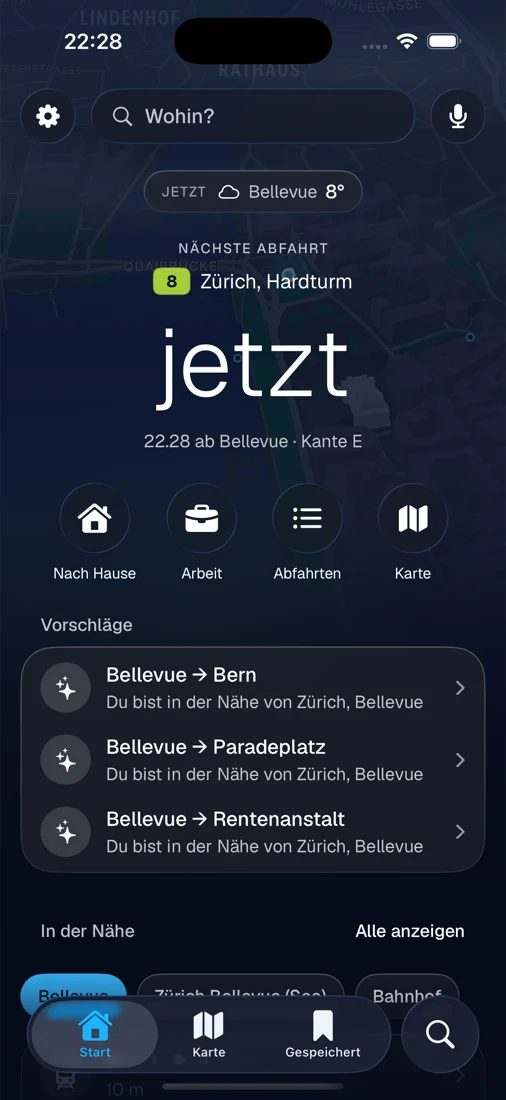
When you open it, zuriGO shows the next departure at the stop near you: line, destination, platform and the minutes until departure. Below that are your routes and more departures nearby.
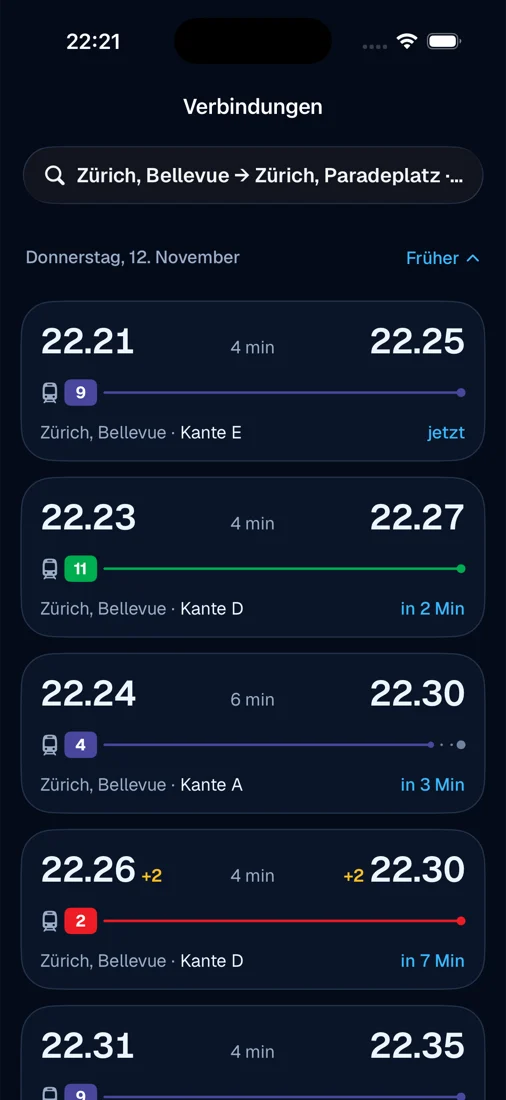
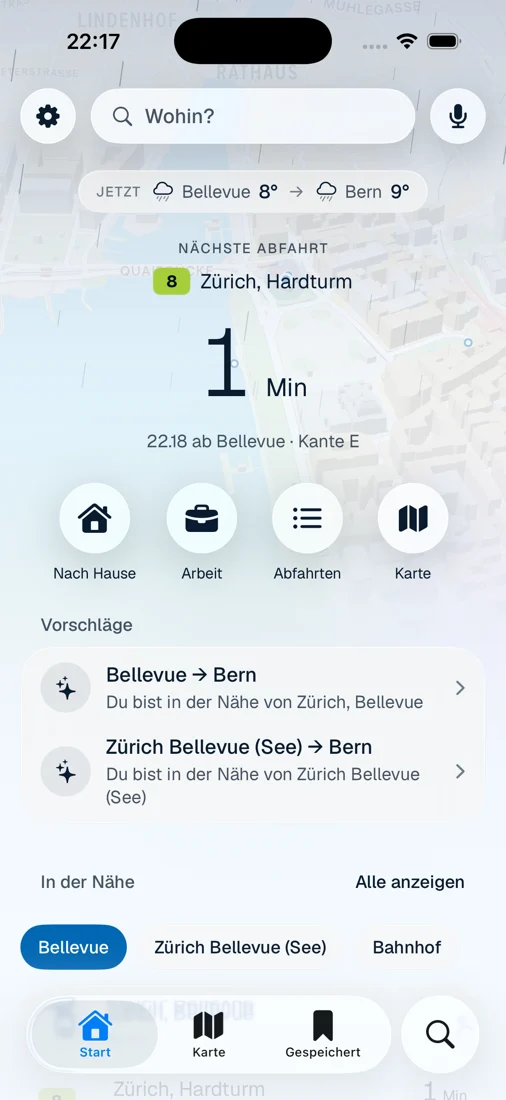
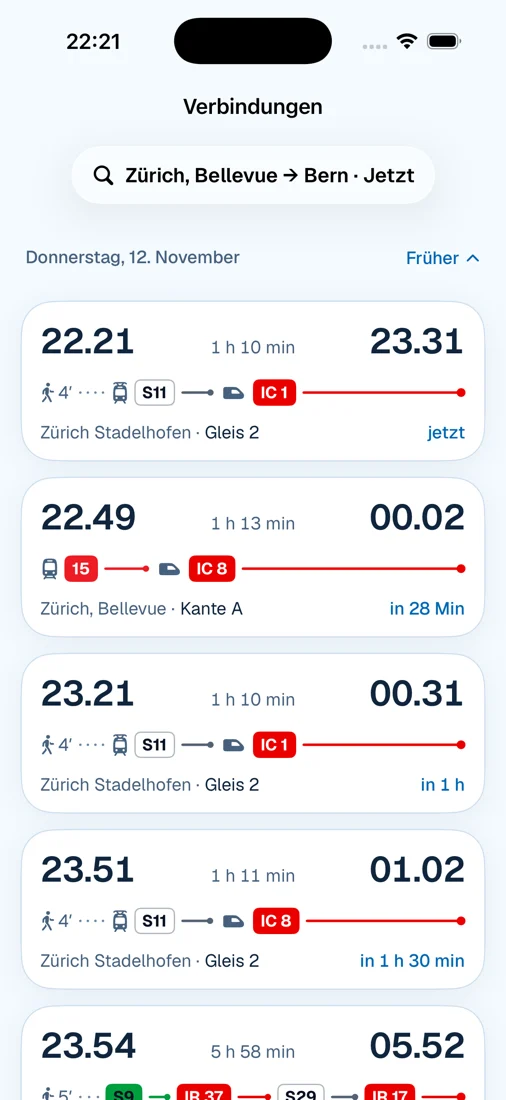
Screenshots from version 2.0 (test version). The app is in German.
Suggestions
zuriGO suggests the connection you usually take at this time of day: to work in the morning, home in the evening. Every suggestion tells you why it is there. If the app isn’t sure, it shows up to three suggestions instead of a guess.
At midday you travel to different destinations. That’s why zuriGO shows three suggestions instead of a guess.
Without your consent, no pattern leaves your iPhone.
If zuriGO gets it wrong, you hide the suggestion with one tap.
One tap deletes what the app has learned about a route. Anything older than six months no longer counts anyway.
The reasons appear like this in the app, in German. The times in the examples are made up.
Voice search
Tap the microphone and ask for a connection or the next departures, just as you would ask a person. zuriGO shows the answer, reads it aloud if you like and understands the follow-up question too.
“Von Bellevue nach Bern um 8 Uhr” (from Bellevue to Bern at 8 o’clock)
The S11 leaves at 08:21 from track 2 at Stadelhofen. You change once at Zürich HB and arrive in Bern at 09:31.
08:21 → 09:31 · 1 h 10 min · S11, IC 1
“Und später?” (and later?)
The next connection leaves at 08:51 from track 2 at Stadelhofen. You arrive in Bern at 10:01.
08:51 → 10:01 · 1 h 10 min · S11, IC 1
“Wann fährt das nächste Tram ab Bellevue?” (when does the next tram leave from Bellevue?)
Tram 11 to Auzelg leaves in 2 minutes from platform D.
11 Auzelg in 2 min · 8 Hardturm in 5 min · 4 Altstetten in 6 min
“Nach Hause” (home)
The S6 leaves in 7 minutes from track 5 at Oerlikon. You arrive at Zürich HB at 17:46.
17:39 → 17:46 · 7 min · S6
Start, destination, stop on the way, departure or arrival: all in one go.
Earlier, later, back or direct only. zuriGO knows what you are talking about.
“morn am achti” (tomorrow at eight) gets through too.
With a Swiss voice, if one is installed on your iPhone. Or silently, if you prefer.
On the move
Tap “Reise starten” (start trip) on a connection. From then on, the Live Activity counts down with you on the Lock Screen and in the Dynamic Island. Shortly before you get off or change, zuriGO reminds you.
A notification shortly before you get off or change.
The Live Activity runs on the watch as well.
Permission is only requested when you start a trip.
Family or friends see when you arrive and which stop comes next. Your location is never shared.
Map
On the map, trams, buses and trains move along according to the timetable. The positions are calculated, not measured by GPS. Tap a vehicle and ride along, or let the camera fly along your connection.

Tap one to see its line, direction and next stop.
Ride along with a tram: next stop, countdown, upcoming stops.
The camera flies along your connection, from where you board to your destination.
See what the stop looks like before you get there.
Zürich with real terrain. One tap switches to the satellite image.
If it is raining at your stop, it is raining in zuriGO too. Readings from MeteoSwiss.
Apple Watch · Widgets · Control Center
The next departure on your wrist, your commute as a widget on the Home Screen and Lock Screen, the way home as a button in Control Center.
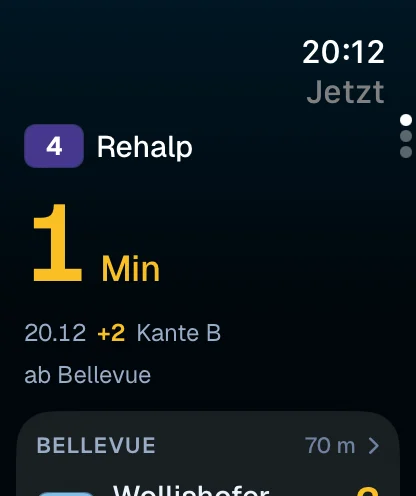
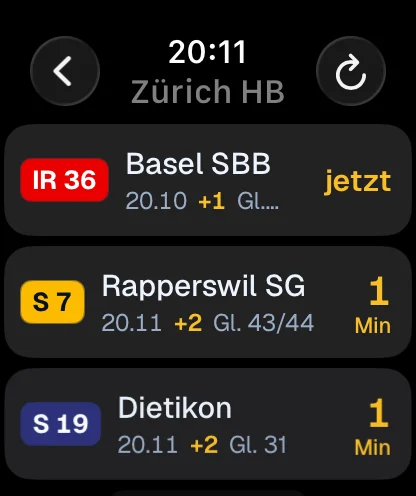
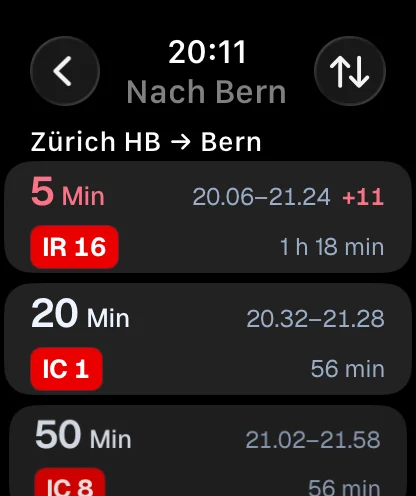
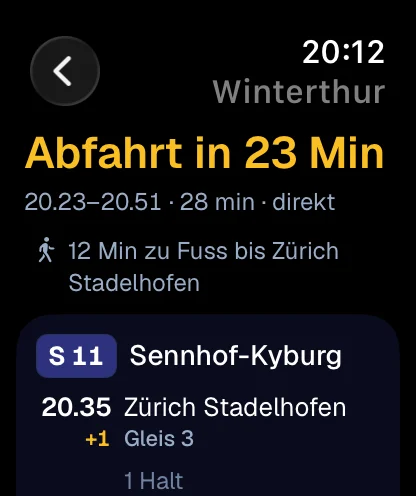
The next departure from your stop as a complication. And a tap on the wrist before you need to get off or change.
Your commute with departure, track, changes and arrival. Or the departures at your stop.
One button for the way home, one for voice search.
Find a connection, next departures, to work: as a shortcut or just by saying it.
Screenshots from version 2.0 (test version).
iPhone Duo · in progress
zuriGO already runs on the iPhone Duo today. The views that really make use of the large display are being built right now. This is how they are planned.
Folded · 5.4″ Your next departure in one hand. The Live Activity runs along in the Dynamic Island.
Unfolded · 7.6″ Zürich with all its trams and trains, bigger than ever. Planned: connections on the left, map on the right.
Portrait Planned: the map at the top, your connection below, stop by stop.
Angled Planned: the map with the next departure at the top, the connections to tap below.
Propped up · StandBy The widgets “Nächste Fahrt” (next trip) and “Abfahrten” (departures) sit next to the clock. Big enough for the bedside table.
Draft · real screenshots to follow
Privacy
Without your consent, zuriGO learns only on the iPhone: your places, saved routes, the history and the patterns for suggestions stay there. You only share more once you allow it.
Suggestions are created on your iPhone. For a timetable query, start, destination and time go to the timetable service, nothing else.
Your searches and trips go to zuriGO’s prediction service: start, destination, time and what you ask the voice search. Under a random device identifier, without an account. No location.
In addition, your location for searches and trips. In progress: detecting in the background that you are on the move. For that, iOS will then ask you once more.
For vehicles on the map, the visible map section goes to zuriGO’s vehicle service. Everything else is in the privacy policy.
zuriGO is an independent public transport app for iPhone, iPad and Apple Watch. It shows departures and connections on Swiss public transport and suggests where you are probably heading next. It is developed in Zürich by Marcel Rapold, not by a transport operator.
Nothing. zuriGO is free, with no subscription. You don’t need an account.
On the App Store. Today, version 1.0 with timetable and map is available. Version 2.0 with suggestions, voice search, widgets and Apple Watch follows shortly as an update. There is no version for Android.
On iPhone and iPad. Version 2.0 requires iOS 26, the Apple Watch app watchOS 26. The views for the iPhone Duo are in progress. The app is in German.
No. Connections and departures are available for all of Swiss public transport, from tram to Intercity, with more than 36,000 stops. Zürich is in the name because the app is made here.
No. zuriGO shows the timetable, departures and connections. Buying tickets and making payments are not part of it.
Timetable and real-time data come from the Open Data Platform Mobility Switzerland, the weather from MeteoSwiss. Delays, track changes and cancellations appear as soon as the source reports them. The vehicles on the map are calculated from the timetable and are not GPS positions. All information is provided without guarantee; the displays at the stop are authoritative.
Without your consent, only what a query needs: start, destination and time for the timetable, and the map section for the vehicles. Your places, saved routes and the patterns for suggestions stay on the iPhone. You can allow more in two further levels. Everything that has been collected is in the logbook; there you can delete individual entries or everything, and export it.
You don’t need location: you can choose a fixed starting stop. With location, zuriGO shows the departures near you by itself. Departures and connections need internet access. When you are offline, you see the most recently loaded departures, with the time they were loaded.
Tap the microphone or start it via Siri, a shortcut or Control Center. You say, for example, “Von Bellevue nach Bern um 8 Uhr” (from Bellevue to Bern at 8 o’clock) and follow up with “Und später?” (and later?). zuriGO also understands simple Swiss German phrases and reads the answer aloud if you like.
Free on the App Store. No account, no subscription.
Download on the App StorezuriGO is an independent project by Marcel Rapold. There is no transport operator behind it, and you need neither an account nor a subscription for the app. Questions and feedback go straight to the developer. Write to me